A cat who reminds you to breathe
Breathe with Mochi.
When you are busy, it is easy to hold your breath without noticing. MeowBreathe gives you a cat companion who calls you a few times a day, takes three slow breaths with you, then purrs.
- Free calls and breaths, every day
- No account, no ads
- iPhone, iOS 17 or later
How it works
A small pause, a few times a day.
-
Mochi calls you
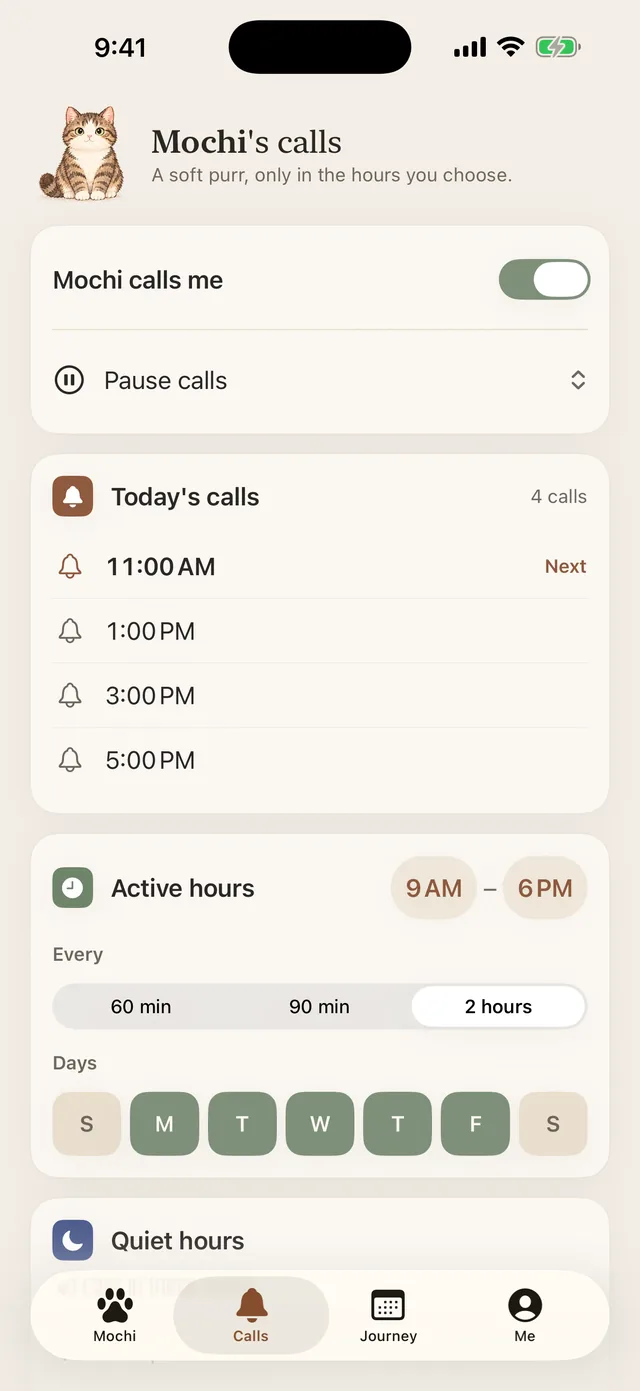
Pick the hours, how often and which days. A soft meow or purr arrives as a notification; tap it and you are in.
-
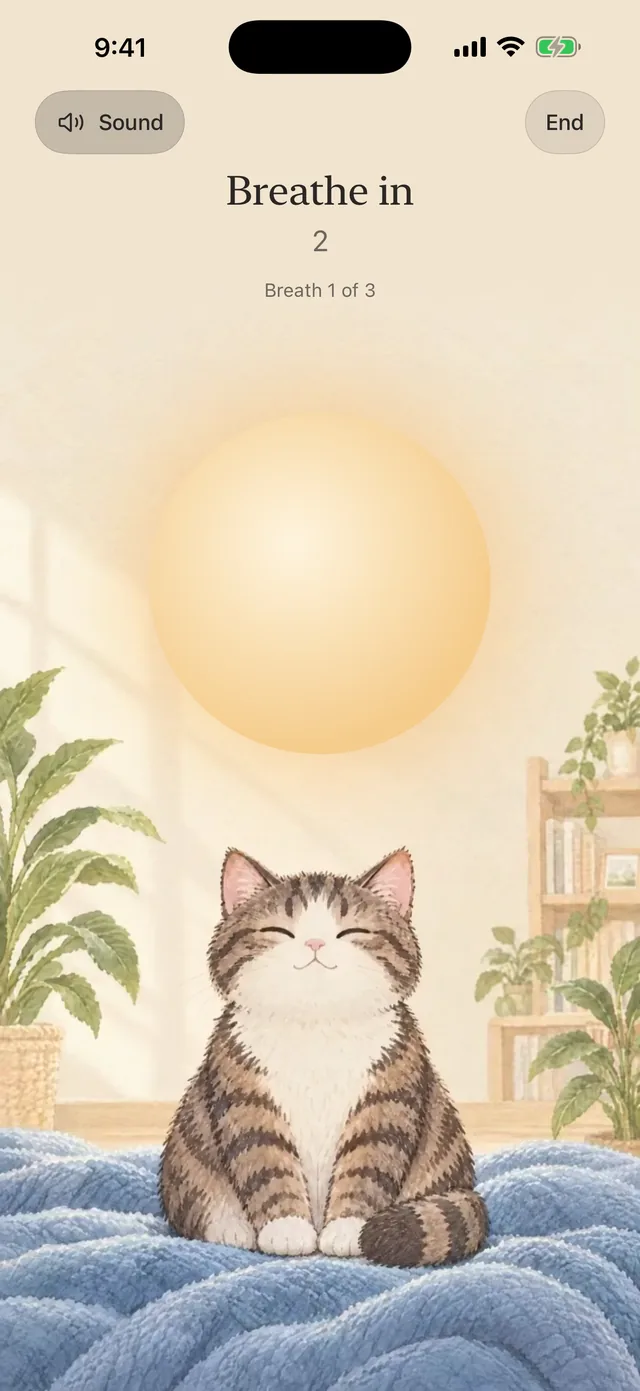
Three slow breaths
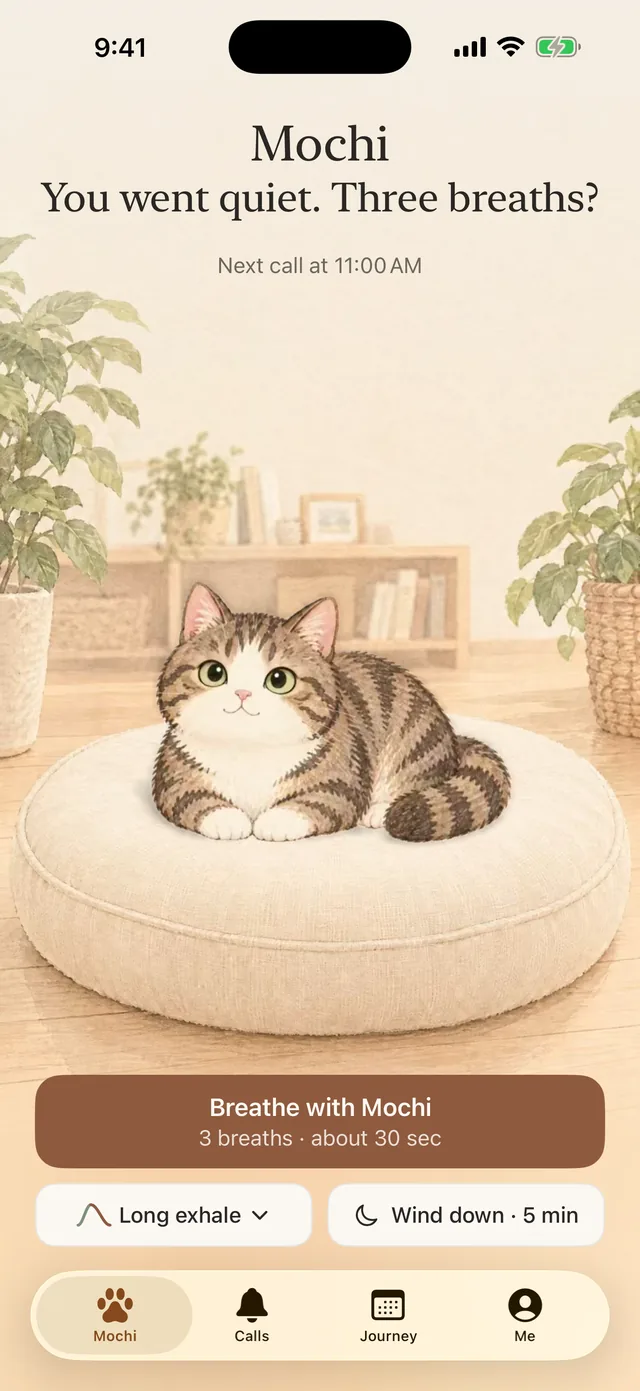
About thirty seconds. A wave sound rises as you breathe in and settles as you breathe out, with gentle taps you can feel. Mochi breathes with you.
-
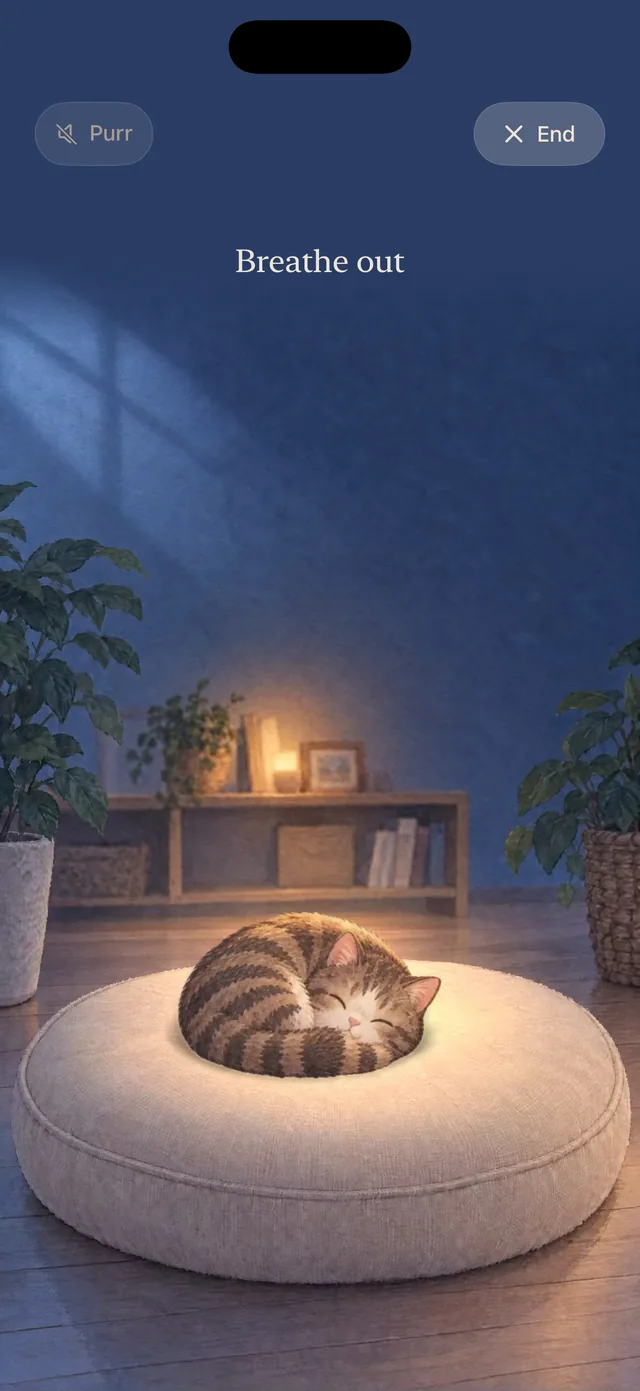
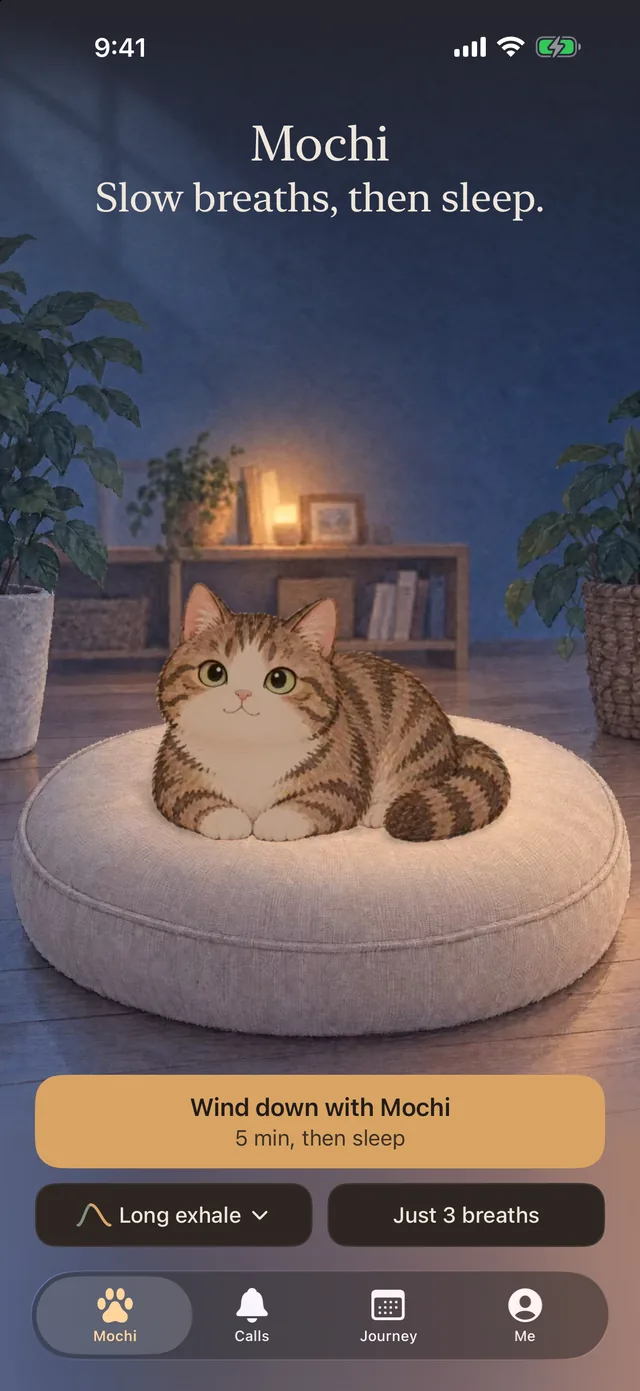
Wind down at night
A slow, dark session for bedtime. A warm glow keeps the rhythm, the screen dims, and it ends on its own.
Try it now
Take one breath with Mochi.
Breathe in
This is Long exhale: in for 4 seconds, out for 6. In the app, a soft wave sound rises and settles with you, and your iPhone taps gently at each turn.
Features
One thing, done gently.
-
Calls that fit your day
Active hours, quiet hours, days of the week and a pause button. See today’s calls before they come.
-
Paced by sound and touch
Waves or a purr rise and fall with your breath, with soft haptics. The sound keeps going when your iPhone locks.
-
A cat with your name for it
Name your cat. Tap it on the home screen and it says hello. It blinks, naps and purrs with you.
-
Wind down for bedtime
A slower breath in a dark room, with a Live Activity on your Lock Screen and an End button you can find in the dark.
-
Widgets
Start three breaths from your Home Screen or Lock Screen, and see when your cat calls next.
-
Private by design
No account and no ads. Your cat’s name, your calls and your breath log stay on your iPhone.
Inside the app
Real screens, no mock-ups.
-
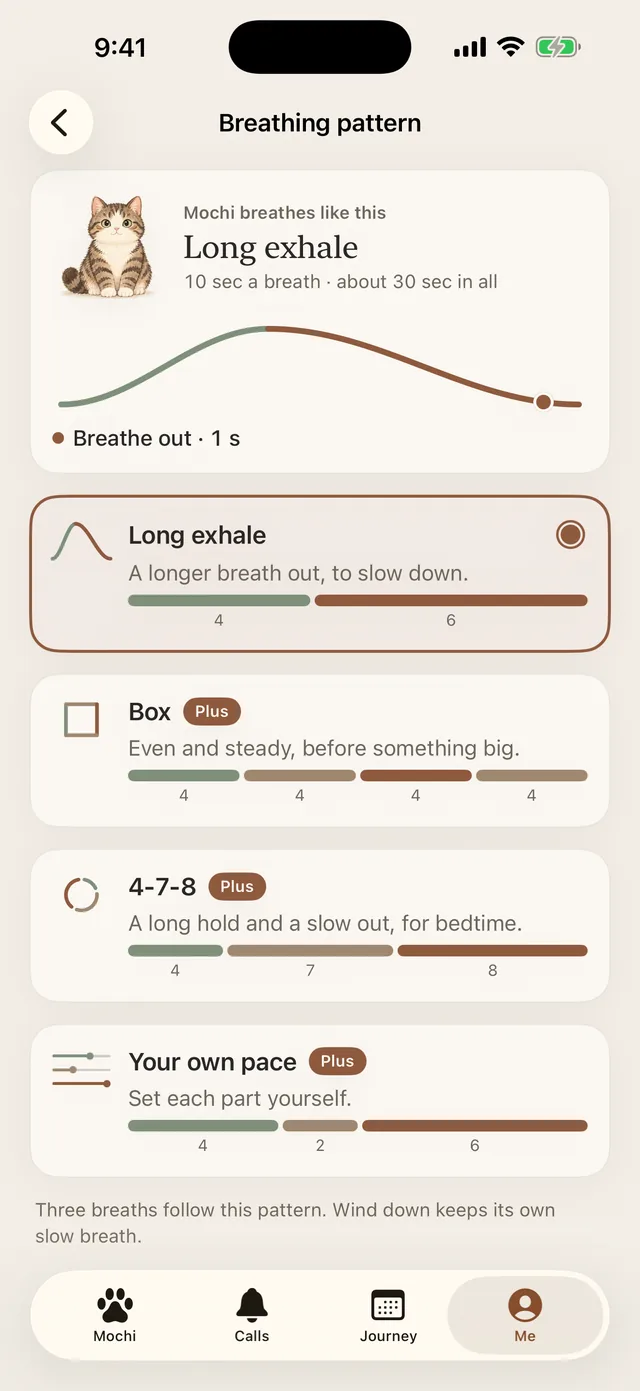
Choose how to breathe
-
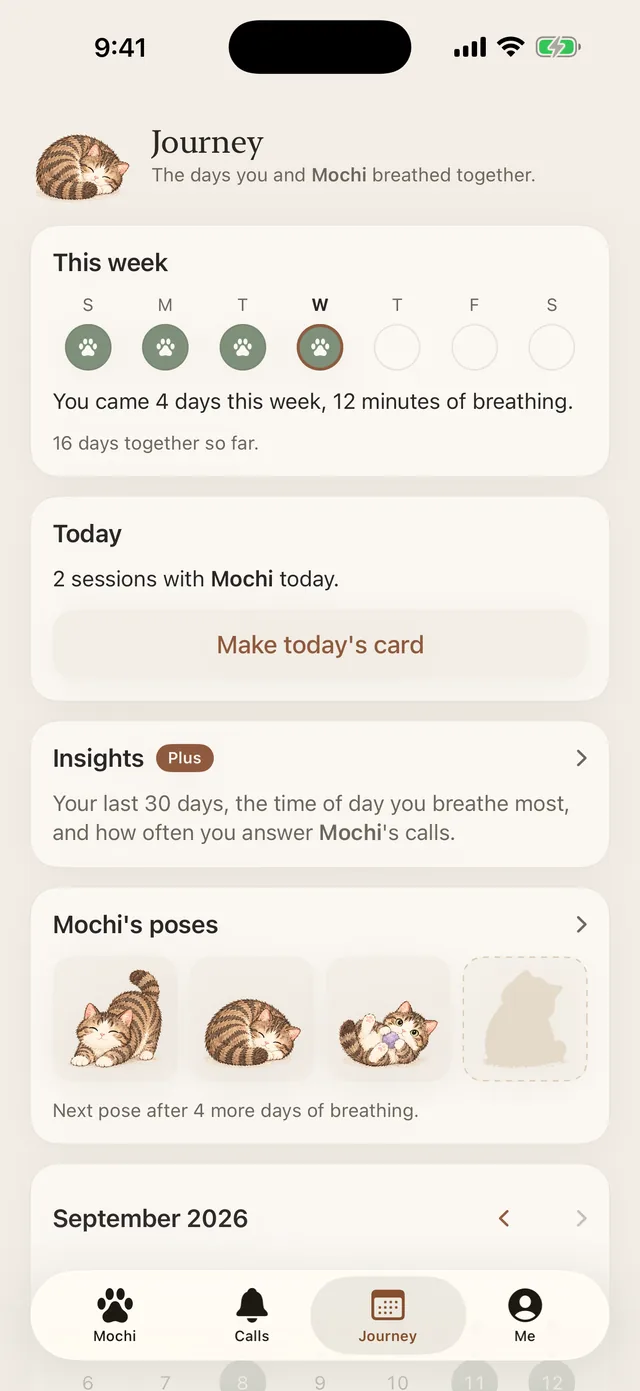
See the days you breathed
-
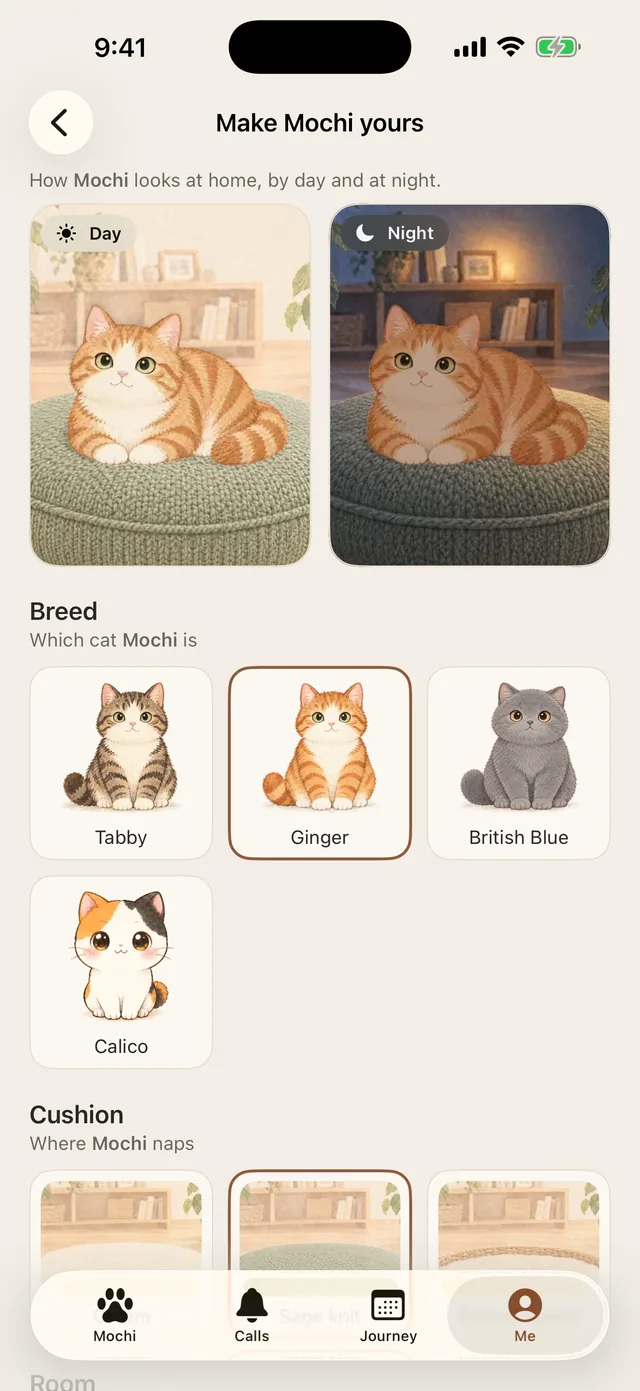
Make your cat yours
-
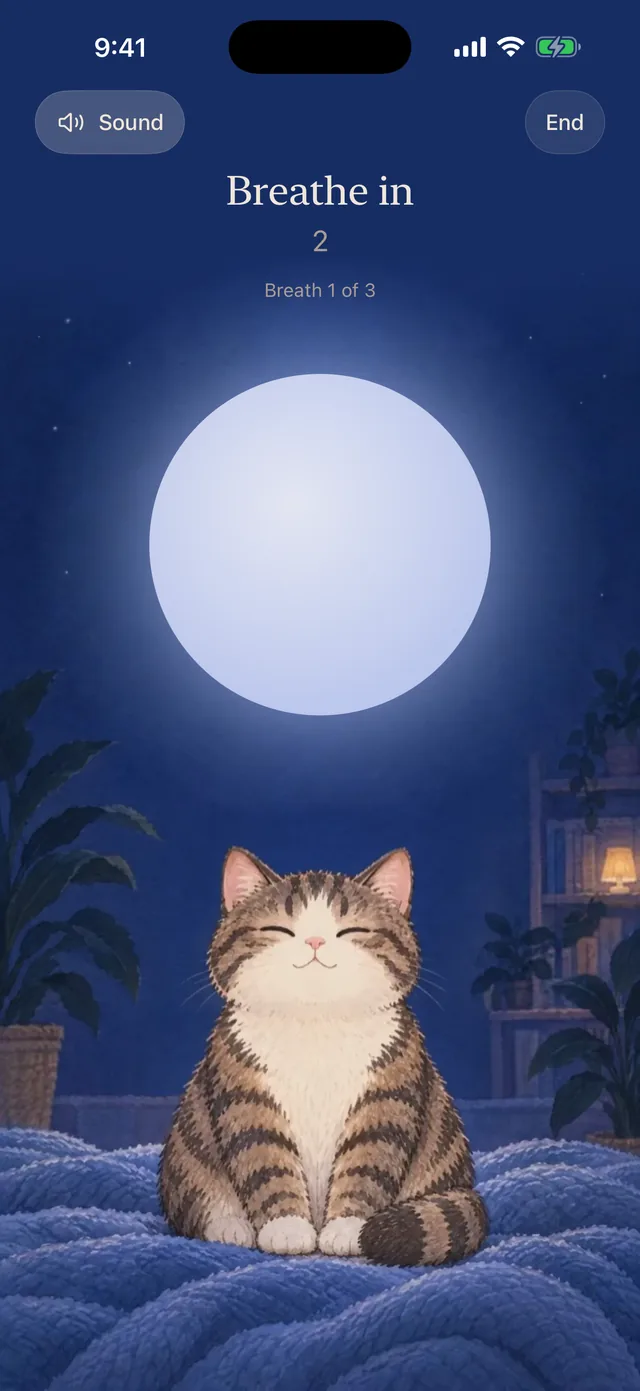
Calm by day, soft at night
-
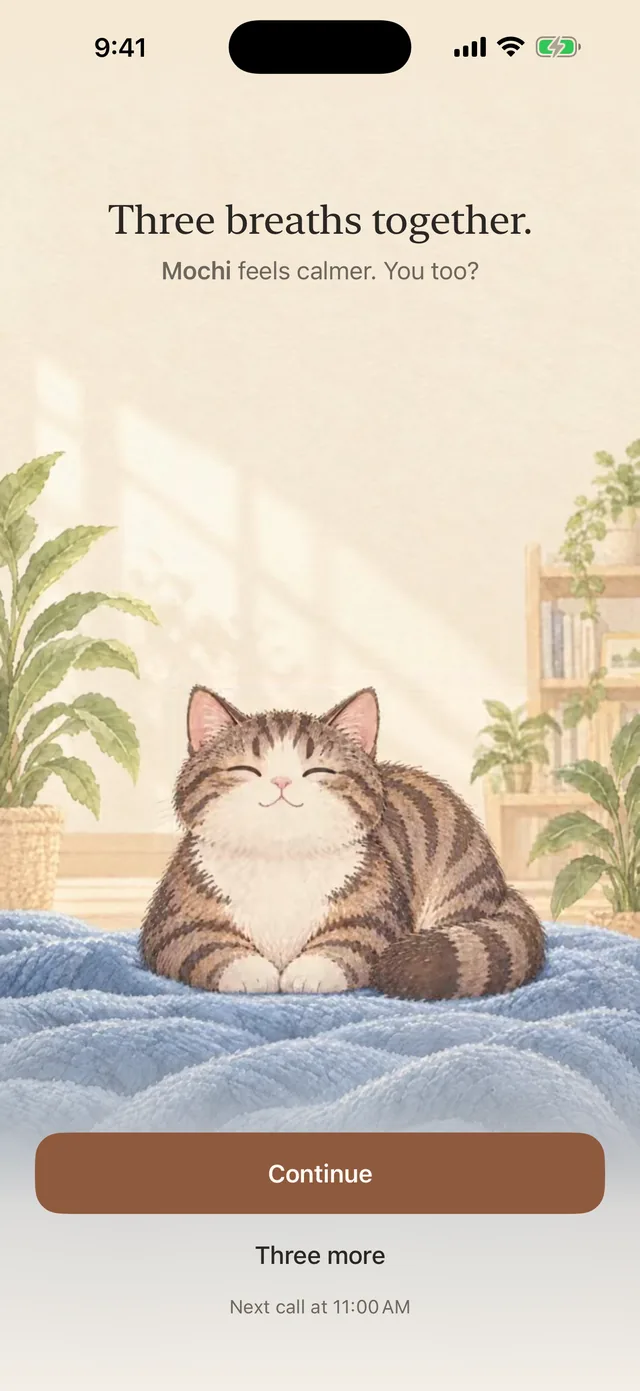
A kind word at the end
Free and Plus
Free every day. Plus if you want more.
Always free
- Unlimited calls, with active and quiet hours
- Three breaths with Long exhale
- Wind down (5 minutes) with a Live Activity
- Waves and Purr sounds
- The 3 breaths widget and Lock Screen widgets
- Your journey: days you breathed and poses to collect
MeowBreathe Plus
- Make your cat yours: breeds, cushions and rooms
- More ways to breathe: Box, 4-7-8 and your own pace
- Sounds to breathe with: Rain, Forest, Soft music, White noise
- Sleep extras: Wind down from 3 to 15 minutes, a purr that fades out after
- Insights: your last 30 days and the time of day you breathe most
- The Wind down and medium widgets
Yearly, with a free trial for eligible new subscribers, or a one-time lifetime purchase. You see the price for your country in the App Store before you buy, and you can cancel the yearly plan any time.
FAQ
Questions, answered.
What is MeowBreathe?
MeowBreathe is an iPhone app in which a cat companion reminds you to breathe and paces a short breathing session with sound and gentle haptics. It works offline with no account.
Is it free?
Yes. Calls, three breaths, Wind down, the Waves and Purr sounds and the 3 breaths widget are free for good. MeowBreathe Plus adds breeds, more breathing patterns, sounds, sleep extras and insights, as a yearly plan with a free trial for eligible new subscribers or a one-time lifetime purchase.
Do I need an account?
No. There is no sign-up and no ads. Your cat’s name, your calls and your breath log stay on your iPhone. Anonymous usage stats help improve the app and can be turned off in Settings.
How long is a session?
Three breaths take about thirty seconds, after a few seconds to get comfortable. Wind down lasts five minutes, or three to fifteen with Plus.
Which breathing patterns are there?
Long exhale (in 4, out 6) is free. Plus adds Box (4-4-4-4), 4-7-8 and your own pace. Wind down uses its own slow breath.
Does it work when my iPhone is locked?
Yes. The session sound keeps playing when you lock your iPhone, and Wind down shows a Live Activity on the Lock Screen.
Is MeowBreathe a medical app?
No. MeowBreathe is not a medical device and does not diagnose or manage any health condition. If breathing exercises make you feel unwell, stop and talk to a doctor.
Which devices does it run on?
iPhone with iOS 17 or later.
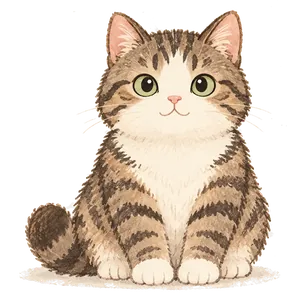
Mochi is ready when you are.
Three slow breaths, whenever your day gets loud.
Coming soon to the App Store